Five Apps, One Estate, No Full Picture: Choosing Estate Management Software
Five apps, five versions of the truth. What estate management software in Nigeria should include, and how to move your estates to one system.

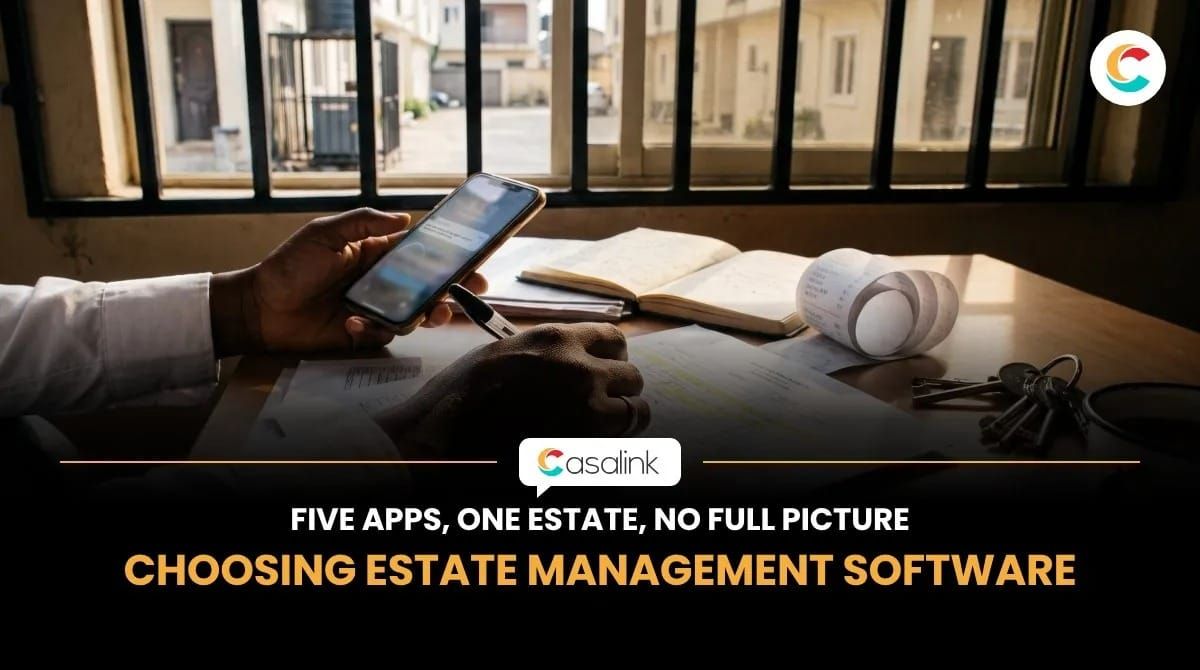
Your MD asks one simple question on Monday morning: "How are our estates doing?" Your facility manager is sharp. She knows every gate, every genset, and every borehole. But the information needed to answer that question is scattered across five different apps.
The problem isn't that your team lacks software. It's that the tools they use don't give them one clear picture of how the estate is performing.
For property companies managing residential estates in Lagos, Abuja, and other parts of Nigeria, this can make daily operations more difficult than they need to be. Maintenance reports sit in WhatsApp groups, service charge records are kept in spreadsheets, visitor information is stored in another system, and fuel records are somewhere else.
By the time management gets an update, someone has already spent hours collecting information from different sources.
One Monday morning, five apps
Imagine Ada manages three residential estates in Lagos for a property company. Between them, the estates have about 240 units, six generators, and residents who contact her directly when something goes wrong.
At 8:05 AM, the MD sends her a message. He wants a one-page update by noon. He needs to know:
- Which maintenance issues are still outstanding?
- How much service charge has been collected?
- What has been spent this month?
- What is happening with power and fuel across the estates?
To answer, Ada has to open five different places:
- The WhatsApp group where residents report faults. There are 63 unread messages.
- The gate management app where visitor information is recorded.
- The service charge spreadsheet the accountant updates.
- The prepaid meter vendor portal for power token sales.
- Her notebook containing contractor quotes and other operational notes.
Five logins. Five different records. She has to move between them, compare figures, and follow up with different people before she can prepare the report.
By 4 PM, she finally has an update. By Tuesday, some of the information has already changed.
This is one of the reasons estate managers need to think carefully about the software they use. Having a separate tool for every task does not automatically give management better visibility.
Why do multiple apps make estate management harder?
Each app may perform its individual function well. The difficulty comes when the information in one system is not connected to the information in another.
For example, the gate management app may not contain information about a resident's outstanding service charge. A maintenance fault reported in WhatsApp may have no assigned person or recorded cost. The prepaid meter portal may not share information with the estate's financial records.
As a result, facility managers and their teams spend time moving information between platforms instead of focusing on the work that needs attention.
This is not only a Nigerian problem. In Asana's 2021 Anatomy of Work Index, a survey of more than 13,000 workers, staff in the US used about 13 apps and switched between them around 30 times a day. More than a quarter said switching made them miss actions and messages.
The real cost of using several disconnected tools is not just the subscriptions. It is also the time spent collecting information, checking records, and following up on tasks that should be easier to monitor.
What should you look for in estate management software in Nigeria?
Before choosing estate management software, look beyond the number of features listed on the product page. Consider the daily responsibilities of your estate team and whether the system can help manage them without creating more disconnected processes.
Here are some important areas to consider.
1. Maintenance requests and work orders
Residents and staff need a clear way to report faults, whether they involve plumbing, lighting, generators, pumps, or other building equipment.
The software should help your team record maintenance requests, assign responsibility, and track the progress of each job.
You should be able to identify which faults have been reported, who is handling them, and which jobs are still outstanding.
2. Service charge management
Service charge records should be easy to organise and review. Your team needs to keep track of payments received, expenses incurred, and outstanding balances.
A good system should make it easier to prepare clear statements and explain how service charge funds are being used.
For property owners and residents, this level of record-keeping can also help reduce misunderstandings about estate expenses.
3. Fuel and energy management
Power is a major part of estate operations in Nigeria, particularly in properties that depend on generators alongside grid electricity or solar systems.
Your team should have a reliable way to record fuel deliveries, monitor generator activity, and review energy-related information.
These records can help facility managers follow up on fuel usage, investigate delivery discrepancies and plan replenishment.
4. Asset records and planned maintenance
An estate has several assets that need regular attention. These may include generators, boreholes, water pumps, lifts, electrical installations and other building systems.
Estate management software should help teams keep maintenance records, document completed work and monitor scheduled servicing.
Without these records, it can be difficult to know when an asset was last serviced, what repairs have been carried out or which equipment keeps developing faults.
5. Resident communication and records
Resident complaints, enquiries and maintenance reports should not exist only in individual conversations.
A useful system helps the estate team organise resident information and keep relevant communication and issue records accessible.
This makes it easier to follow up on requests and maintain a record of what has been reported.
6. Portfolio visibility
If you manage several estates, you need more than separate updates from individual facility managers.
Look for software that gives property owners and management teams a way to review information across the properties they oversee.
This could include outstanding work orders, maintenance records, service charge information and other operational updates.
The goal is to spend less time chasing information and more time addressing what needs attention.
How do you move from multiple apps to one estate management system?
Moving to a new system requires more than creating an account and transferring your records. Your team needs to understand what information is currently stored, which processes depend on each tool, and what needs to be migrated.
Here are some practical steps to follow.
1. List the tools your team currently uses.
Include apps, spreadsheets, WhatsApp groups, notebooks, and manual records. Write down what each tool is used for and who is responsible for updating it.
2. Identify the processes causing the most difficulty.
Is your team struggling to track maintenance requests? Are service charge records difficult to reconcile? Do you spend too much time collecting fuel information? Start with the processes that create the most delays or confusion.
3. Check what the new system actually supports.
Ask about the features included, available integrations, data migration, and any functions that depend on external service providers. Do not assume that every existing tool can be replaced immediately.
4. Prepare your existing records.
Organise your unit list, resident information, payment records, maintenance history, and other relevant documents before moving them to a new platform.
5. Train the people who will use it.
Facility managers, accountants, security personnel, and other relevant team members should understand how their responsibilities fit into the new system.
6. Move in stages where necessary.
Avoid switching off an existing tool until its essential functions have been successfully transferred or replaced. Give your team time to adjust and address any issues that come up during the transition.
You can also ask the software provider about onboarding support. Having someone guide your team through the initial setup can make the transition easier.
What changes when your estate records are in one place?
Return to Ada's Monday morning.
The MD sends the same message at 8:05 AM. Instead of searching through several WhatsApp groups, spreadsheets, and individual portals, Ada opens Casalink to review the information recorded across the estates.
She can check outstanding maintenance work orders, review service charge records, and access available fuel and energy information. The details are organised within the platform, making it easier to see what needs attention and prepare an update for management.
When a maintenance issue comes up at another estate, the team can record the request, assign responsibility and follow its progress.
Ada still needs her facility teams to inspect buildings, supervise contractors and handle daily operations. But she has a more organised record of what is happening across the properties she manages.
That is the difference between having several tools for individual tasks and having a system that helps bring important operational records together.
Who benefits from estate management software?
Estate management software is useful for different types of property owners and management teams.
Property developers and estate owners: Owners managing several residential estates need visibility into maintenance activities, service charge records, and the general condition of their properties. Having organised records makes it easier to follow up without depending entirely on verbal reports.
Facility managers: Facility teams coordinate maintenance requests, contractors, asset servicing, resident complaints, and daily operations. A central system helps them keep track of these responsibilities.
Property management companies: Companies overseeing multiple properties need a consistent way to organise records and review operational information across their portfolio.
Estate administrators: Administrators responsible for service charge records, resident information and routine enquiries can benefit from having important information organised in one place.
How Casalink supports estate and facility management
Casalink is designed to help property owners and facility teams manage important building and estate operations.
The platform supports maintenance requests and work orders, helping teams record faults, assign responsibility, and monitor job progress. It also provides tools for managing service charge records, tracking fuel and energy information, documenting asset maintenance, and keeping relevant operational records.
For teams overseeing multiple buildings or estates, having these records available through one platform can make it easier to review activities and follow up on outstanding work.
Casalink does not replace the people responsible for managing an estate. It gives them a more organised way to record activities, manage responsibilities, and keep track of the work being done.
New teams also receive 60 days of hands-on onboarding to help them get familiar with the platform.
Frequently asked questions
What is estate management software?
Estate management software is a digital platform that helps property owners and facility teams organise the day-to-day activities involved in managing residential or mixed-use estates.
Depending on the platform, it may support maintenance requests, work orders, service charge records, resident information, fuel management, and asset maintenance.
The purpose is to reduce reliance on scattered spreadsheets, messages, and manual records while giving management a clearer view of estate operations.
How do I choose estate management software in Nigeria?
Start by identifying the tasks your team handles every week. These may include maintenance requests, service charge management, fuel records, resident communication, and asset maintenance.
Choose a system that supports the processes most important to your operations. Ask about available integrations, data migration, user access, reporting, and onboarding.
It is also worth requesting a demonstration using examples that reflect how your team currently works.
Can one app handle different estate management activities?
That depends on the platform and the features it supports.
Some systems focus mainly on resident communication, while others cover maintenance, service charge records, asset management, and energy tracking.
Before choosing one, check whether it supports the processes your team handles daily and whether additional integrations are required.
How long does it take to move to a new estate management system?
The transition depends on the number of properties, the amount of existing data and the features being introduced.
A small estate with organised records may be able to get started relatively quickly, while a property company managing several estates may need a phased implementation.
Casalink provides 60 days of hands-on onboarding to help new teams get familiar with the platform.
Is estate management software only for large estates?
No. Smaller estates can also benefit from organised maintenance records, service charge tracking and better access to operational information.
The right software depends on the number of units, the size of the management team and the complexity of the daily tasks involved.
A small estate may manage some activities with a shared spreadsheet, while a property company overseeing several estates may need a more comprehensive system.
Bring your estate operations into one view
If you own or manage multiple estates and your team relies on several apps, spreadsheets and WhatsApp groups to keep things running, it may be time to review your current setup.
Casalink helps property owners and facility teams organise maintenance work orders, service charge records, fuel information and other building operations within one platform.
Book a 15-minute demo to see how Casalink supports estate and facility management, the records your team can manage on the platform, and how it fits into your existing processes.
Want to read more first? Browse our guides and resources.